
Starting a conversation can sometimes feel hesitant. Who goes first? Who picks the topic? The Colored Dice gamify these decisions, removing social friction and adding a moment of anticipation. Whether using physical dice or this digital tool, chance ensures everyone gets an equal turn to speak.
Quick Navigation
- Option 1: Reveal & Match (No Teams)
- Option 2: Team Colors
- Try the Mechanics Here (Interactive)
- Jump to the Virtual Dice Roller Guide
- Advanced Features (Presets)
Why Roll the Dice?
Starting a conversation can sometimes feel awkward or hesitant. The colored dice serves as a fun, neutral tool that:
-
Eliminates "Who Goes First?": It fairly decides who begins, removing the social pressure of volunteering or picking someone.
-
Gamifies the Start: It turns a procedural step into a moment of anticipation and energy.
-
Deepens Connection: The "Challenge" mode adds shared meaningful actions, fostering team spirit before the discussion even begins.
🎲 Quick Start: The colors on the 3D dice correspond to the border colors of our Question Cards. You can use this to select who speaks next: If you roll Blue, the person holding the Blue card answers!
How does this fit into an event?
This page explains how the dice works. To understand the bigger picture, we recommend exploring:
- Our About page for how we conduct the main session.
- The Event Structure guide for the complete event format.
Two Ways to Play
The dice can be used in two main ways depending on your group size and preference:
Option 1: Reveal & Match (No Teams)
This is the simplest method, great for casual groups or smaller gatherings where you don't want to split into teams.
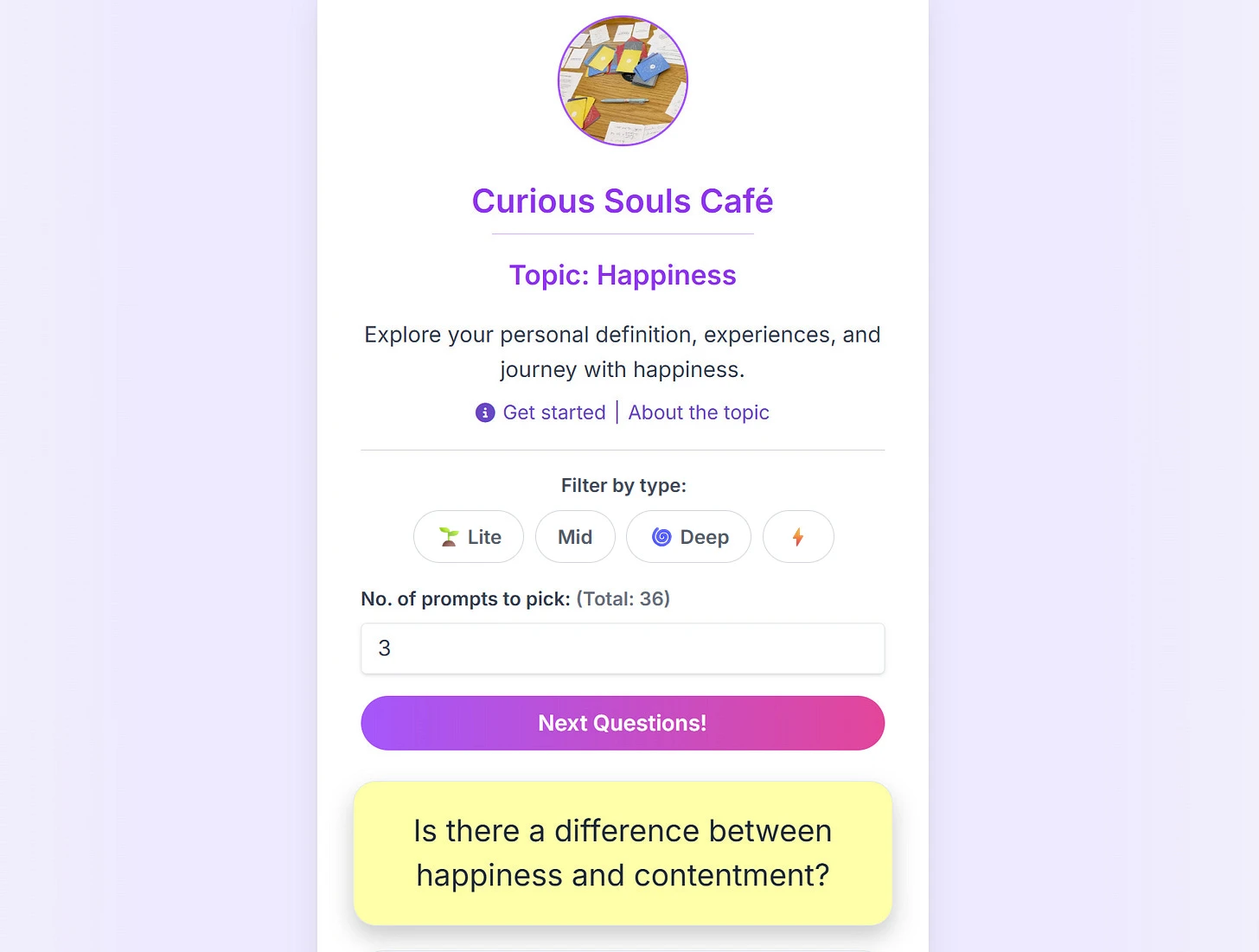
- Participants open the Curious Souls Café app and pick a question card.
- Everyone taps their card to reveal its secret color (Blue, Yellow, or Red).
- A designated person rolls the dice.
- If the dice shows Blue, everyone holding a Blue card starts first!
Pro Tip for Small Groups: Playing with just 2 people? If the dice lands on a color that no one holds (e.g., you have Blue & Yellow, but Red rolls), treat it as a Wildcard! The person who rolled gets to pick who starts. 🃏
Option 2: Team Colors
To enhance bonding, participants can be grouped into teams (e.g., 2-3 participants per team). Each team is associated with one of three colors: blue, yellow, or red.
The dice roll determines which team starts the conversation. The selected team starts by answering their chosen question first, followed by others in turn.
Pick people in the blue team to initiate the discussion.
Pick people in the yellow team to initiate the discussion.
Pick people in the red team to initiate the discussion.
The Twist: Striped Dice & Challenges
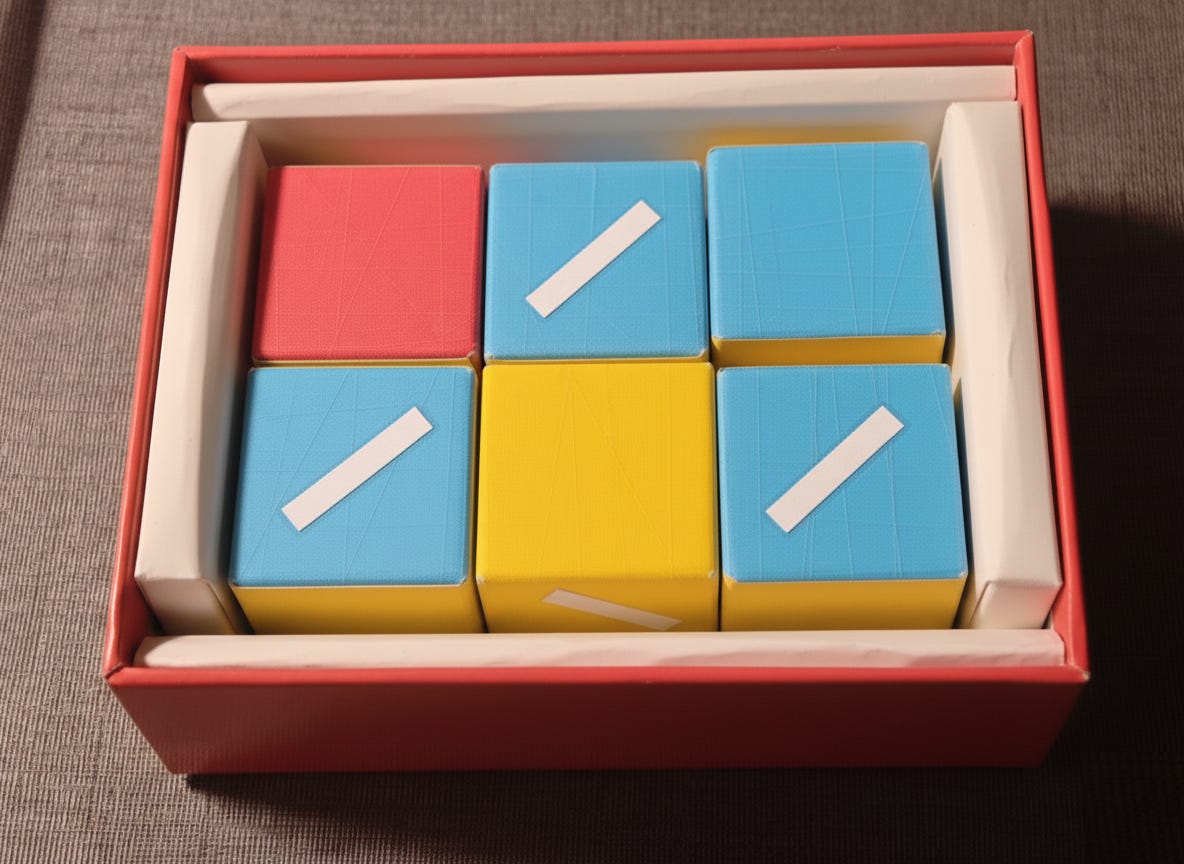
One of the two faces for each color can optionally be striped. If the dice lands on a striped face (e.g., Striped Blue), the corresponding individual or team must draw an action card and complete a meaningful challenge before discussing the next question.
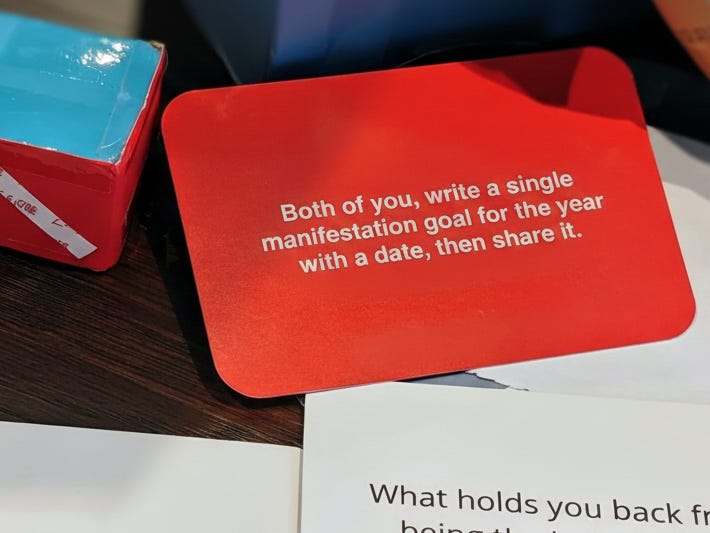
These actions facilitate bonding, such as: “Write down one thing you want to manifest this year and date it. Compare.”
Try the Mechanics: Roll & Reveal
Experience how the "Striped Dice" triggers a challenge card. Give it a roll, or simply draw a card to see some of the meaningful action prompts.
...
Note: Using the striped dice for meaningful actions is entirely optional. Feel free to skip directly to the discussion once a color is revealed.
How to Use the Virtual Dice Roller
Launch the Dice Roller AppThe virtual dice roller offers a simple way to start the discussion without needing physical dice. To access it, tap the floating dice icon in the bottom right corner of our web app, or use the button above.

Get the Dice Rolling!
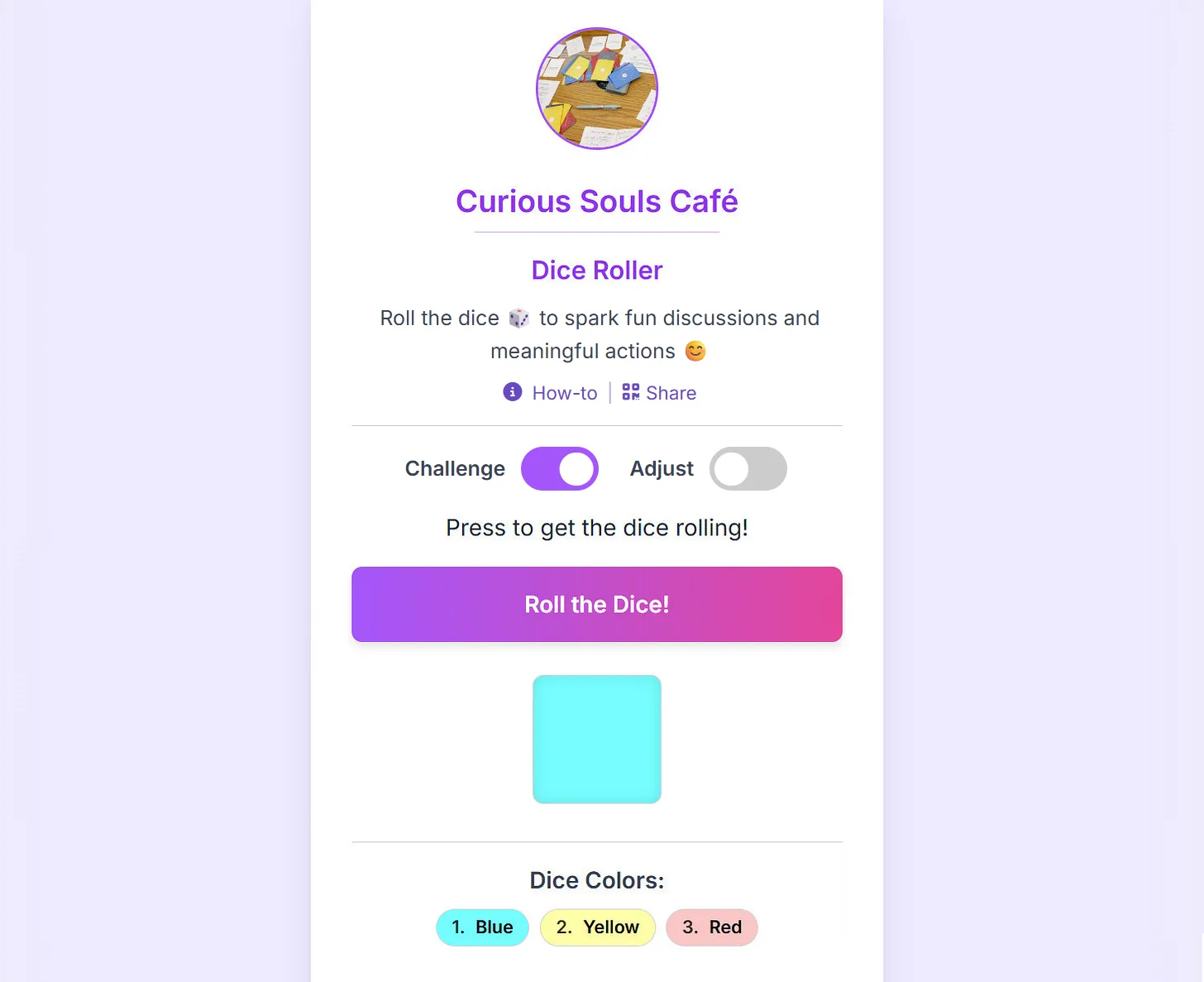
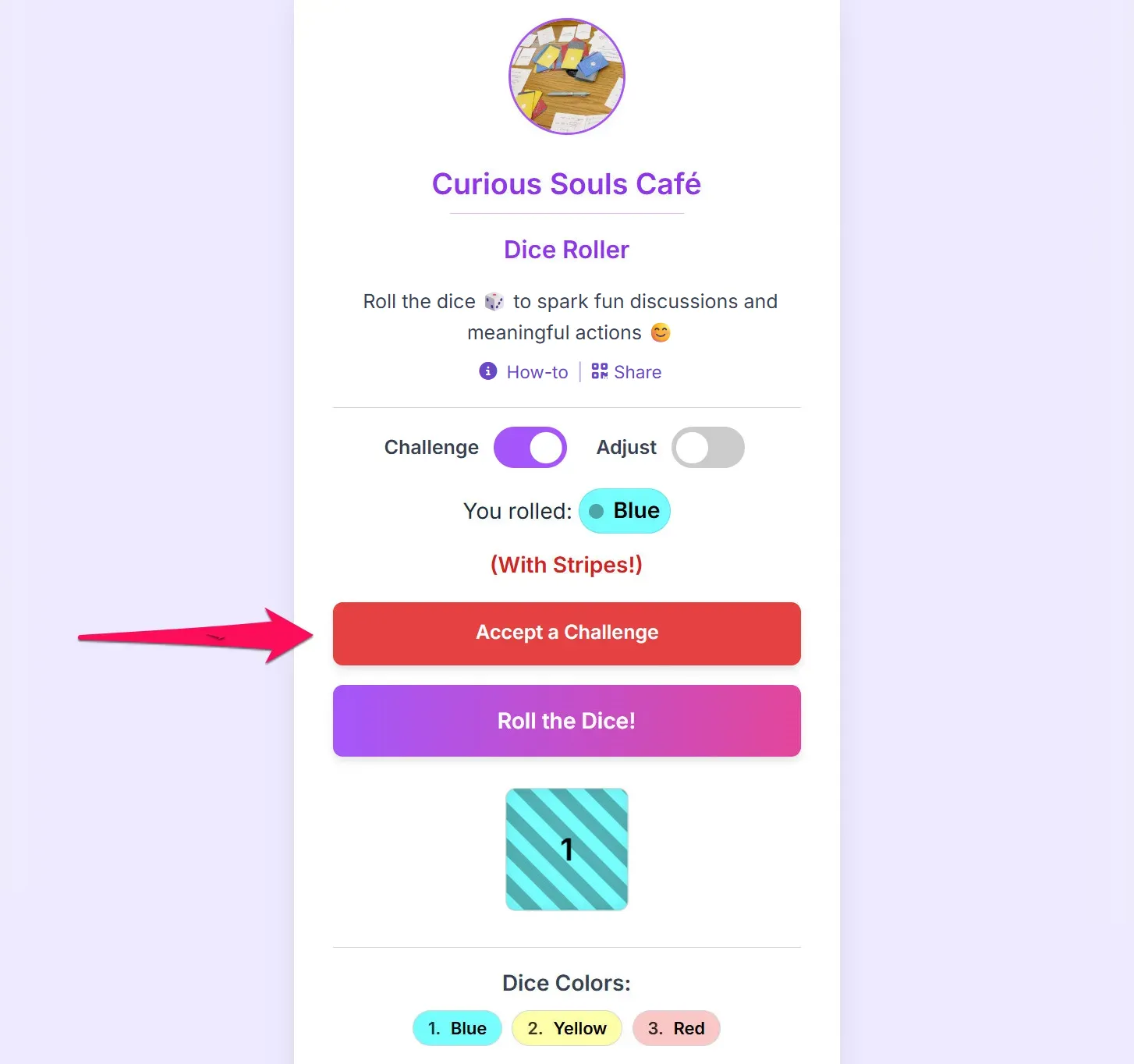
Below is the main interface of the virtual dice roller. You can enable the optional meaningful action mode with the "Challenge" toggle. Tap “Roll the Dice” to begin!
Meaningful Challenges: Optional Action Prompts
If the “Challenge” option is enabled and the dice lands on a striped color, the corresponding team must tap “Accept a Challenge.” They will then be presented with a choice of meaningful actions to complete together before starting their discussion.
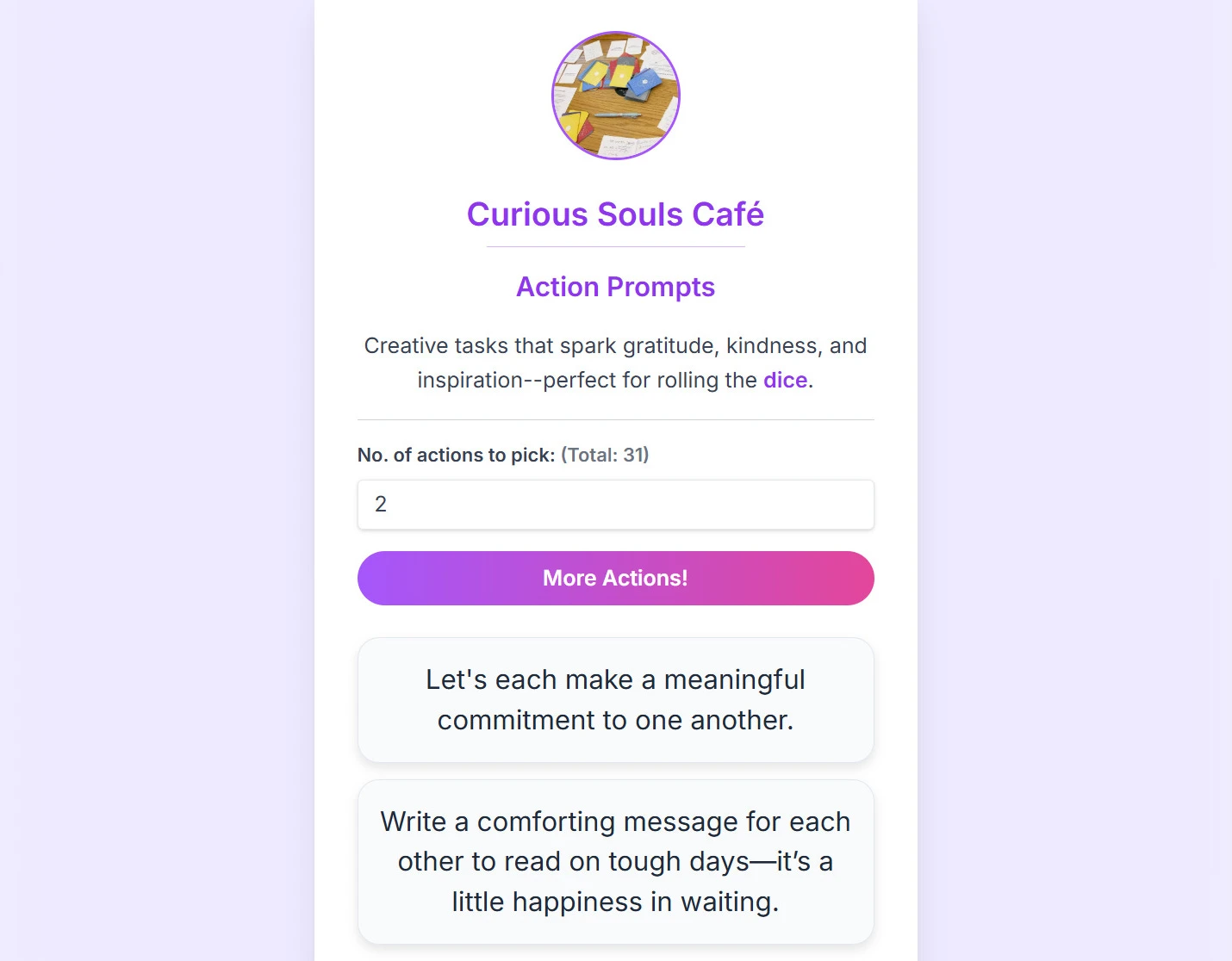
After tapping “Accept a Challenge,” one team member will need to choose from a list of meaningful actions for the team to collaborate on. This facilitates bonding and helps solidify common ground. You can see an example of the actions page below.
Advanced Features
Share & Quick Tips
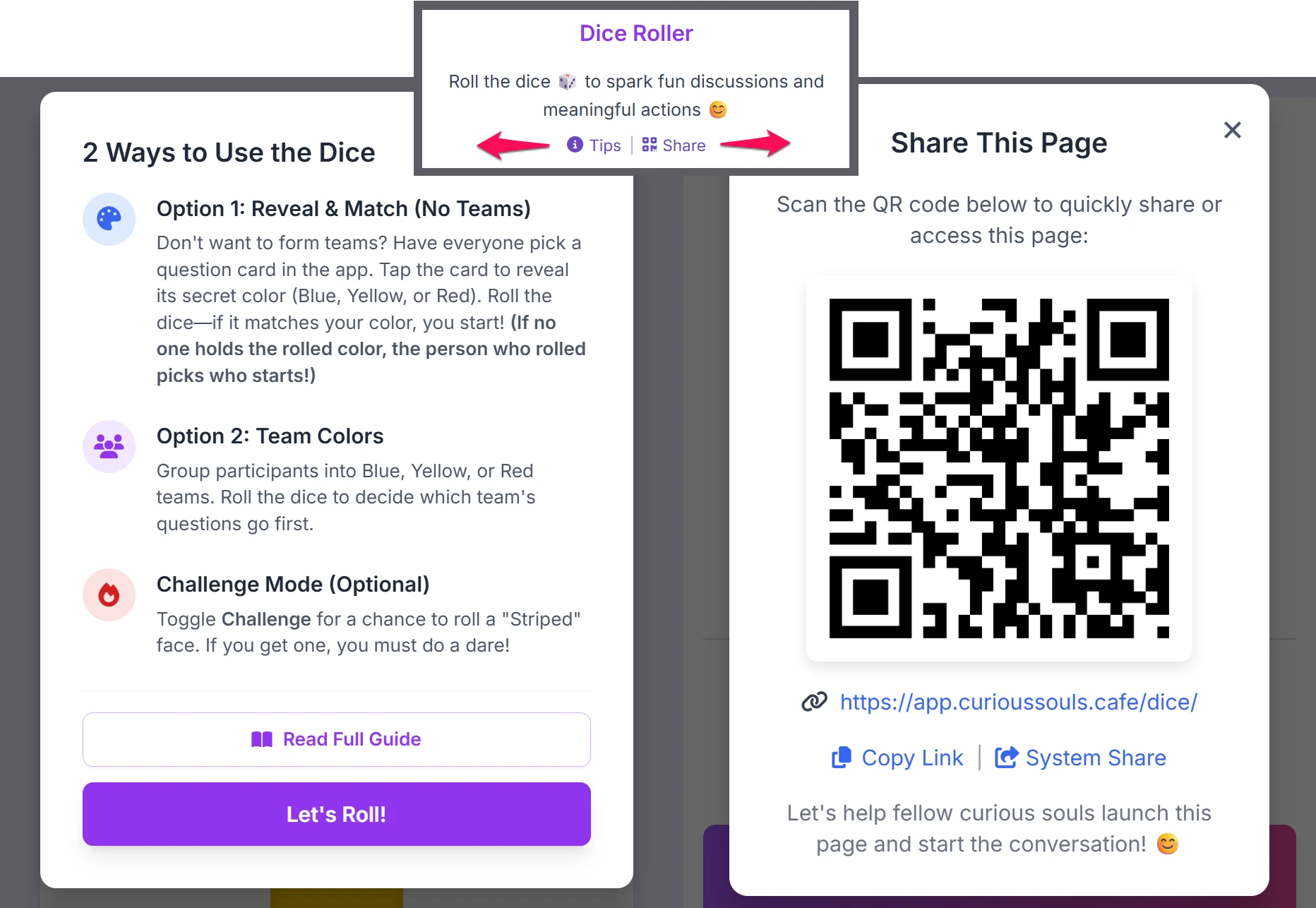
Facilitating a large group? You don't need to send links manually. Look for the text links just above the main dice area.
- Share: Generates a large QR code. Participants can scan it to load the Dice app on their own phones.
- Tips: Opens a quick in-app cheat sheet of the rules.
Quick Links
You will also see a purple "Action Prompts" button at the bottom. Use this if you want to skip the rolling and jump straight to the meaningful challenges list.
Default/Custom Presets & Configurations
The Dice Roller isn't just for colors. You can save different configurations for different games and share it via a QR code or link with others. While the built-in presets are available by default, saving and sharing customized dice presets is a feature for authenticated Power Users and Faciliators. (How do I get a free passcode?)
1. The Preset Manager
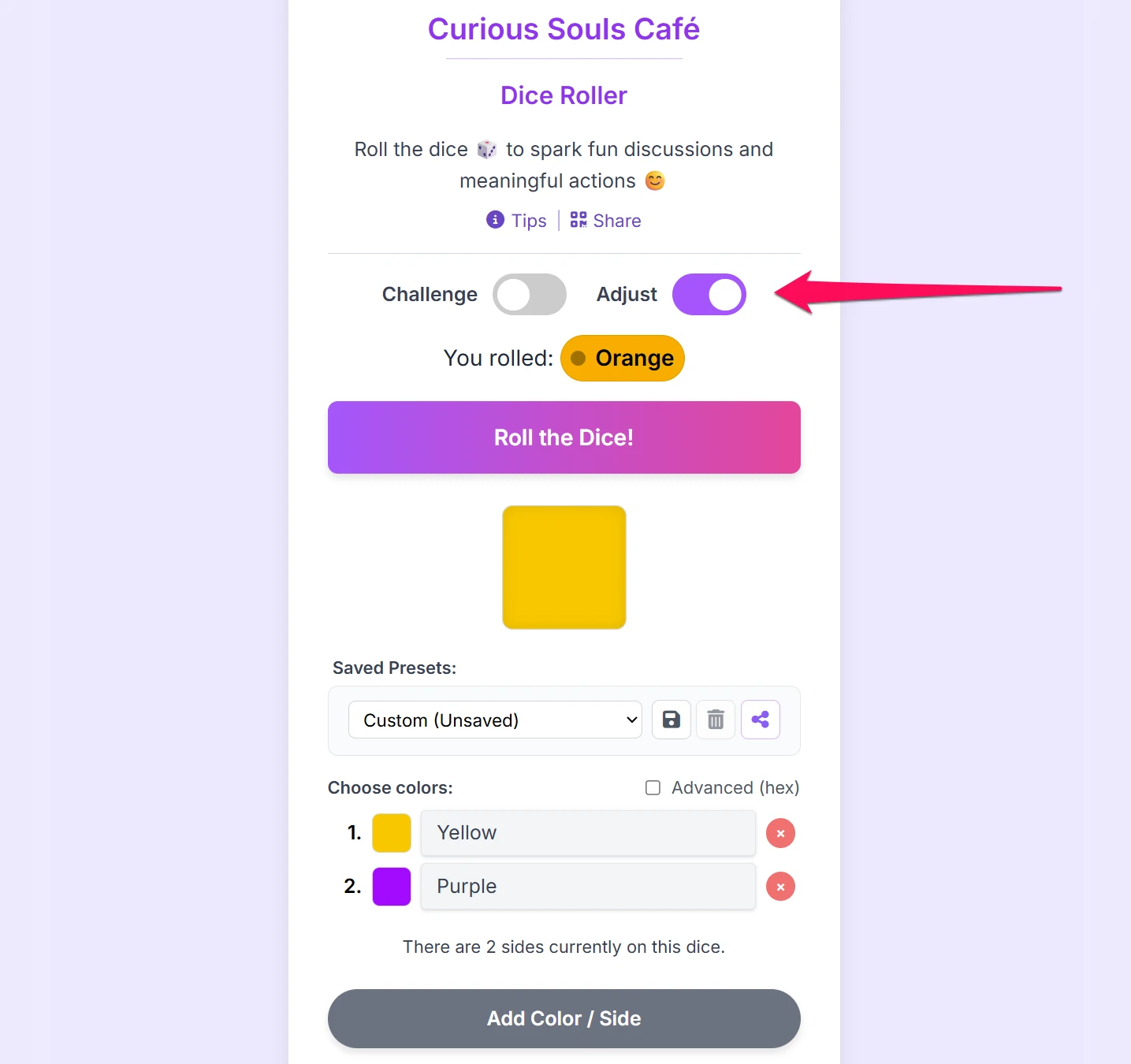
Look for the "Saved Presets" dropdown menu in the adjustment panel. It comes packed with built-in options designed for different scenarios:
The Basics
- Curious Souls Café: The classic Blue, Yellow, and Red bonding dice.
- Coin Flip: A simple 2-sided "Yes" (Green) or "No" (Red) toggle.
- Standard D6: A traditional 1-6 numbered dice.
Games & Connections
- Rock, Paper, Scissors: A quick 3-sided dispute settler.
- Magic 8-Ball: Six answers ranging from "Definitely" to "No Way" to let fate decide.
- Icebreaker Topics: Randomly selects between Food, A Place, Movie/TV, Passion, Music, and Books/Ideas.
- The Storyteller: Prompts for sharing: A Past Memory, Future Dream, Recent Triumph, Tough Challenge, Funny Moment, or Lesson Learned.
Facilitation Tools
- Vibe Check: Colors mapped to emotions (Joy, Sadness, Anger, Fear, Disgust, Surprise) to gauge the room.
- Turn Taker: Randomly assigns who speaks next (Pass Left, Pass Right, Reverse, Roller Picks, etc.).
- Team Retro: Perfect for agile wrap-ups (Start Doing, Stop Doing, Continue, Kudos!, Big Idea).
- Mindfulness Moment: Grounding exercises to reset the room's energy (Deep Breath, Stretch, Share Gratitude, Close Eyes, Notice Sounds, Quick Compliment).
2. Creating Your Own
You can build and save your own dice (e.g., "6 Teams" or "RPG Dice"):
- Toggle "Adjust" on.
- Add/Remove colors and rename labels as needed.
- Click the Save Icon next to the dropdown.
- Give your preset a name. It is now saved to your device forever!
3. Sharing Your Custom Dice
Once you've created a custom dice setup, you can instantly share it with your entire group so everyone is rolling the exact same dice on their own devices.
- Next to your saved presets, click the Share Setup button.
- A dynamic QR code will appear. Your group can scan this directly from your screen to load your custom colors and text.
- Alternatively, use the Copy Link button to drop the setup into a group chat or email.
Smart QR Codes: If you share one of our built-in system presets, the app generates a clean, simple QR code that scans instantly. However, if you share a highly customized setup, the app bundles your specific colors and text directly into the link. If you create a very complex dice, the resulting QR code might become dense. The app will warn you if this happens—simply use the Copy Link option instead!
🛠️ Explore Other Tools
Enhance your gathering with our other facilitation tools.
Collect · Reflect
Your hub to curate questions, organize them with custom tags, and journal in Zen Mode, plus a professional Session Log for facilitators.
Curious Souls Café aims to foster a collaborative and reflective environment where dialogue and shared experience create meaning and build connections. The methods discussed here are flexible and can be adjusted to fit your group's needs.